
Note-Taking Apps: Finding the Right Fit for How Your Brain Works

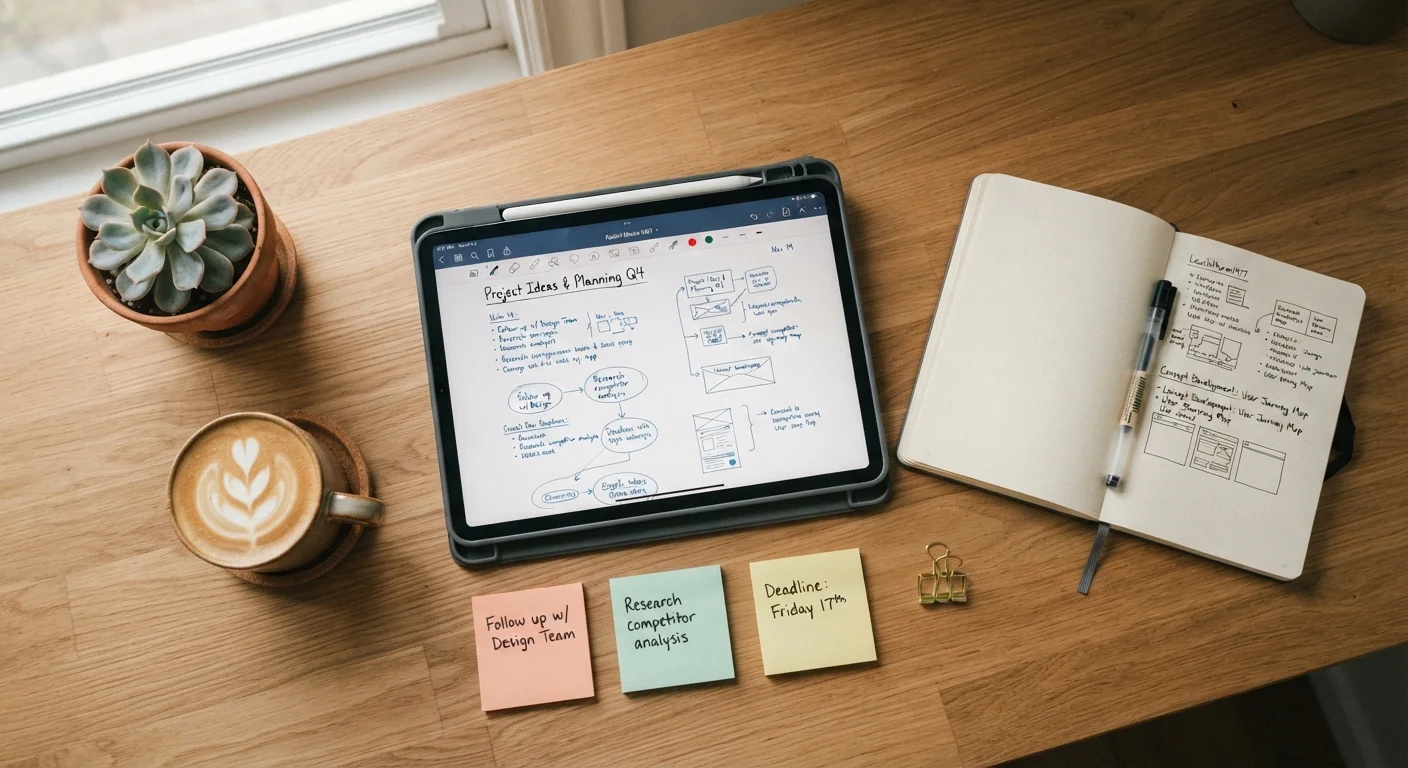
Photo: ArticleHood.com | Precision In Every Word editorial
Key Takeaways
- Different note-taking apps suit different thinking styles - linear, visual, voice-first, or networked.
- Sync capability matters: your notes should be accessible across all the devices you actually use.
- No single app is universally best; the right fit is the one you'll consistently open and use.
- Storage and offline access are practical factors worth checking before committing to an app.
Why the App Matters Less Than the Match
There's no shortage of note-taking apps, and the internet is full of passionate opinions about which one reigns supreme. But the honest answer is that the best app for you is the one that matches how your mind actually organizes information - not the one with the most features or the loudest fan base.
Some people think in bullet points. Others prefer flowing prose or mind maps. Some capture ideas by speaking out loud; others need to link thoughts together like a web. When an app's structure fights against your natural style, you stop using it. When it clicks, note-taking starts to feel effortless.
Before downloading anything new, it helps to ask yourself a few honest questions: Do you prefer structure or freedom? Do you work mainly on a phone, a laptop, or both? Do you need your notes offline, or is a Wi-Fi connection usually available? These answers matter more than any feature list. If you're curious about how notes travel between your devices, our explainer on how app syncing works is a helpful starting point.
If you think in lists and checklists
If your instinct is to break everything into steps or bullet points, look for apps built around simple, hierarchical lists. These tools let you create nested items - a main point with sub-points underneath - which mirrors how list-oriented thinkers naturally organize tasks and ideas.
Key features to look for: easy nesting (indent levels), the ability to check off completed items, and a clean interface that doesn't add visual noise. Keyboard shortcuts for quickly adding items are a bonus if you type fast.
Nested lists mirror how checklist thinkers naturally break down any topic or task.
If you prefer freeform writing
Some people think better when they can write without structure - long paragraphs, stream of consciousness, ideas that shift mid-sentence. For these writers, an app that gets out of the way is essential. A distraction-free writing mode, minimal formatting buttons, and a simple folder system are the priorities.
Watch out for apps that push you toward templates or headers before you've had a chance to just write. The best freeform apps open to a blank page and let you fill it on your own terms.
For freeform thinkers, the best app is the one that opens to a blank page and stays quiet.
If you think visually or spatially
Visual thinkers often find linear apps frustrating because a flat list doesn't reflect how they see relationships between ideas. Mind-mapping tools and canvas-style apps let you place ideas anywhere on a virtual whiteboard and draw connections between them.
This approach suits brainstorming, planning projects with many moving parts, or any situation where the relationship between ideas matters as much as the ideas themselves. If you've ever found yourself drawing diagrams on paper to understand something, a visual note tool may feel immediately familiar.
If diagrams come naturally on paper, a canvas-style app may finally match how you think.
If you capture ideas by speaking
Voice-first note-takers often have ideas when their hands are busy - driving, cooking, exercising. For them, the priority is an app with reliable voice-to-text transcription or easy audio recording that can be searched and reviewed later.
Check whether the transcription works offline (important if you're often in areas with poor signal) and how accurately it handles your speech patterns. Some apps integrate voice recording directly; others rely on your phone's built-in dictation before pasting text into a note.
Voice-first note-takers need reliable transcription that works even when signal is weak.
If you like linking ideas together
A growing category of apps - sometimes called networked or "second brain" tools - lets you link notes to each other and visualize those connections as a web. If you often think, "this idea connects to something I wrote last month," this style may suit you well.
These apps reward consistent, long-term use: the more notes you add, the more useful the connections become. They tend to have a steeper learning curve than simpler apps, so they're best suited to people who genuinely enjoy building a personal knowledge system rather than just jotting reminders.
Networked note apps reward consistent use - the more you add, the more useful they become.
If you need everything in one place
Some people don't want to separate their notes, to-do lists, calendars, and project plans across multiple apps. All-in-one workspace tools combine these functions in a single environment, letting you build a personal dashboard that holds everything together.
The tradeoff is complexity: these tools have more to learn and can feel overwhelming at first. Start with one or two features rather than trying to configure everything on day one. If you're setting up a new phone, it may be worth deciding on your note system early so you install only what you need.
All-in-one tools work best when you start small and expand only as your needs grow.
Finding Your Starting Point
Once you have a sense of your thinking style, the practical step is to try one app consistently for two to three weeks rather than hopping between several at once. A short, honest trial beats an extensive side-by-side comparison on paper.
Give One App a Real Trial
One thing to watch: note-taking apps can accumulate more storage than you'd expect, especially if you attach images, audio recordings, or use offline sync. Our article on why apps use more storage than expected explains what's happening behind the scenes and how to keep it manageable.
And if digital tools ever feel like more friction than they're worth, that's a legitimate signal too. Analogue approaches - index cards, a simple notebook - are genuinely effective for many people. The goal is a system you'll actually maintain, not one that looks impressive in a screenshot. Whatever you choose, make sure sensitive information like passwords lives somewhere more secure than a general notes app.
The content on this site is for informational purposes only and is not a substitute for professional advice. Always consult a qualified professional for guidance specific to your situation.