
Why Your Apps Use More Storage Than You Expect

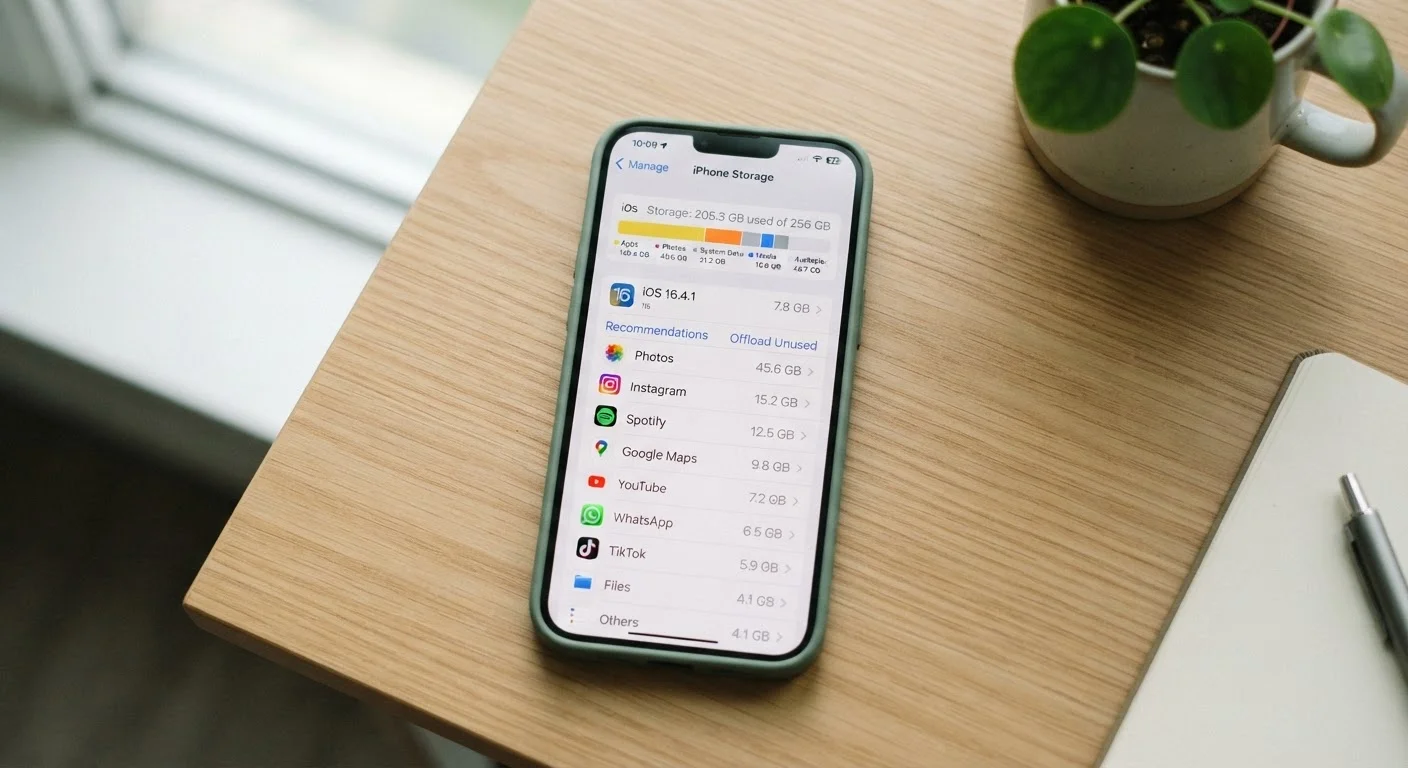
Photo: ArticleHood.com | Precision In Every Word editorial
Key Takeaways
- The listed download size of an app is almost never its final storage footprint after regular use.
- Cache files, offline content, and user data can multiply an app's storage use several times over.
- Both Android and iOS provide built-in storage tools that break down exactly what each app is consuming.
- Clearing cache is safe and reversible; deleting app data removes personal settings and saved content.
- Uninstalling rarely-used apps is often more effective than clearing cache on apps you actively use.
The Gap Between Download Size and Real-World Storage Use
When you tap "Install" on an app that says it's 85 MB, you might assume it will take up roughly that much room on your phone. In reality, that number is just the starting point. Within days or weeks of regular use, the same app could occupy 500 MB or more - and it isn't doing anything wrong. It's working exactly as designed.
Apps accumulate storage in several distinct categories beyond the base install: cache (temporary files stored to speed up load times), user data (your settings, login state, saved content), and offline or downloaded content (playlists, maps, episodes). Each category serves a purpose, but together they can quietly consume a surprising share of your device's total storage. Understanding this distinction is the first step toward managing it effectively.
Both Android and iOS give you a built-in view of how storage is actually being used. On an iPhone, go to Settings → General → iPhone Storage and tap any app for a breakdown. On Android, the path is typically Settings → Apps → → Storage & Cache. These screens separate app size, data, and cache - making it much easier to diagnose what's growing and why. For a broader look at what lives on your device after setup, see our guide to setting up a new smartphone.
Common Mistakes That Let Storage Spiral Out of Control
Most storage problems don't come from one rogue app - they come from a handful of easy-to-make misunderstandings that compound over time. Here are the most frequent ones, and what to do instead.
Treating the App Store download size as the app's total storage cost.
Ignoring cache accumulation in apps used daily, like browsers and streaming services.
Downloading offline content in multiple apps and forgetting to remove it when no longer needed.
Deleting and reinstalling apps repeatedly in an attempt to free storage, without addressing the underlying cause.
Keeping rarely-used apps installed "just in case" while complaining about low storage.
It's also worth noting that apps you pay for aren't automatically better at managing storage. If you're evaluating whether a paid upgrade is worthwhile, our piece on free vs. paid app tiers explains what you're actually getting.
What You Can Safely Delete - and What You Can't
The most important distinction when managing app storage is between cache and data. Cache is safe to clear at any time - it will simply rebuild itself as you use the app again, which may cause the app to load slightly slower for the first session. Clearing cache does not log you out or delete your content.
App data is different. Deleting it typically resets the app to a fresh-install state: saved preferences, login sessions, and locally stored content are removed. For most social or productivity apps, this means you'll need to sign back in. For games, it can mean losing local save progress if you haven't backed up to a cloud account.
Clearing App Data Removes Your Saved Progress
Offline-downloaded content - such as saved music, podcast episodes, or navigation maps - is usually managed within the app itself rather than through your phone's storage settings. Look for a "Downloads" or "Offline" section inside the app to selectively remove files you no longer need without affecting your account or settings. For a clearer picture of what cloud backup actually preserves, our article on what the cloud means for your files and photos is worth reading before you delete anything significant.
4-6×
Typical storage growth ratio for active apps
Industry observations consistently show that actively used apps often grow to several times their original install size due to cache, data, and downloaded content.
~64%
Smartphone users who have run low on storage
Surveys by app analytics firms have found that a majority of smartphone users encounter low-storage warnings at least once, with app data being a leading contributor.
Finally, if you're finding that multiple apps are quietly draining both storage and your budget, a periodic audit helps. Our digital subscriptions audit guide walks through exactly how to do that.
The content on this site is for informational purposes only and is not a substitute for professional advice. Always consult a qualified professional for guidance specific to your situation.