
Inside Your Smartphone: What All Those Specs Actually Mean

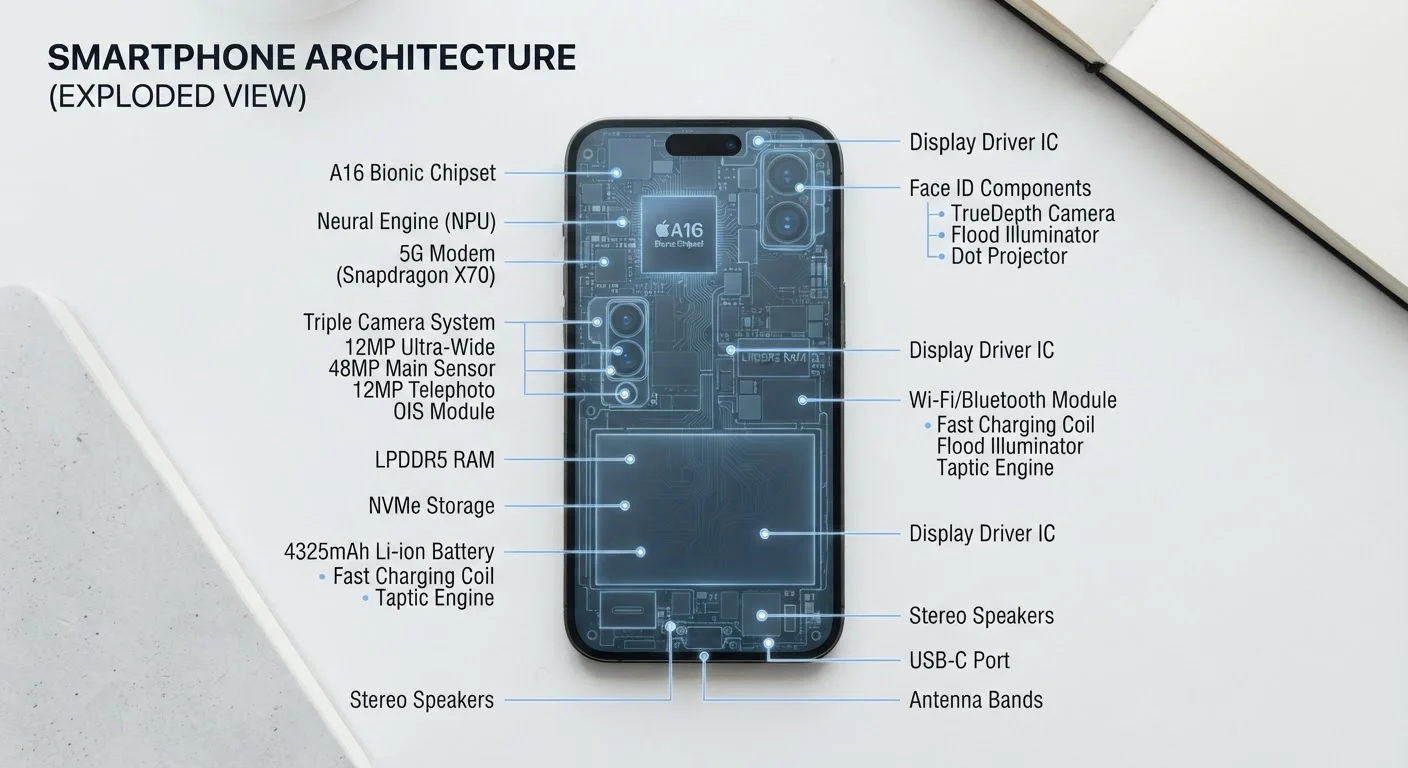
Photo: ArticleHood.com | Precision In Every Word editorial
Key Takeaways
- RAM determines how many apps can stay active simultaneously without reloading.
- Processor clock speed (GHz) measures how fast instructions are executed per second.
- More megapixels doesn't automatically mean better photos - sensor size and software matter too.
- Screen brightness (nits) affects how well you can see your display in direct sunlight.
- Storage capacity (GB) controls how many apps, photos, and files you can keep on-device.
- Battery capacity (mAh) is a useful comparison point, but real-world life also depends on software efficiency.
RAM: The Multitasking Muscle
RAM stands for Random Access Memory. It's the phone's short-term workspace - the place where active apps, browser tabs, and background processes live while you're using them. When your phone runs low on RAM, it starts closing apps in the background. That's why switching back to an app sometimes means waiting for it to reload from scratch.
Smartphones commonly list RAM as a number followed by "GB" (gigabytes). More RAM generally means smoother multitasking: you can jump between a navigation app, a music player, and a messaging thread without any of them restarting. It's important not to confuse RAM with storage - they measure very different things. For more on how software layers interact with this memory, see how operating systems manage device resources.
RAM vs. Storage: A Quick Memory Check
Processor Speed and Cores: What GHz Really Tells You
The processor - also called the CPU (Central Processing Unit) or SoC (System on a Chip) on smartphones - is the brain of the device. Two numbers usually describe it: clock speed (in GHz) and core count.
Clock speed measures how many processing cycles happen per second. A 3.0 GHz processor can execute up to 3 billion cycles per second. More cores mean the chip can handle multiple tasks in parallel - similar to having several workers instead of one. Most modern smartphones use a mix of high-performance cores (for demanding tasks) and efficiency cores (for background work), which helps balance speed with battery life. For a deeper breakdown of these terms, our CPU spec lookup guide covers each one in plain language.
8 GB
Common RAM in mid-range smartphones
Industry analysis shows 6-8 GB RAM has become a standard tier for mid-range Android devices as of recent product cycles.
~3 GHz
Typical flagship CPU peak clock speed
Leading mobile processors from major chip designers regularly reach peak clock speeds near or above 3 GHz in their high-performance cores.
5,000 mAh
Increasingly common flagship battery size
Battery capacities have grown substantially over recent years, with 5,000 mAh becoming a common target in flagship-tier Android devices.
Camera Specs: Megapixels, Aperture, and Sensor Size
Camera specs are among the most marketed - and most misunderstood - figures on a phone. Megapixels (MP) measure image resolution: a 48 MP camera captures images with 48 million individual pixels. Higher resolution preserves more fine detail and allows aggressive cropping, but it isn't the whole story.
The aperture (written as f/1.8, f/2.0, etc.) describes how wide the lens opening is. A lower f-number means a wider opening, which lets in more light - critical for low-light and indoor photography. Sensor size determines how much light each pixel physically captures; a larger sensor generally produces less noisy, more detailed images, especially in dim conditions. Software processing - including night modes and computational photography - further shapes the final image well beyond what raw megapixel counts convey. See why pixel count alone doesn't define image quality for a related breakdown on screens.
Screen Brightness, Storage, and Battery: The Numbers That Affect Daily Life
Screen brightness is measured in nits. The higher the nit count, the more legible your screen is outdoors. Mid-range phones often sit around 600-800 nits, while flagship devices can exceed 2,000 nits for direct sunlight use. Panel type also matters - OLED screens offer deeper blacks and richer color than LCD at equivalent brightness. Screen resolution and panel type together shape your viewing experience, so brightness is just one piece of the picture.
Storage (in GB or TB) is how much space you have for apps, photos, videos, and files. Unlike RAM, storage is persistent - it stays even when the phone is off. If you rely heavily on cloud storage for your photos and files, you may need less on-device storage than someone who keeps everything local.
Battery capacity is rated in mAh (milliampere-hours) - a measure of how much energy the battery can store. A 5,000 mAh battery holds more energy than a 3,500 mAh one, but actual endurance depends on screen-on time, connectivity usage, and how efficiently the processor and software consume power. Charging speed is a separate spec, measured in watts (W) - a higher wattage means the battery refills faster.
Specs Describe Maximums, Not Guarantees
Frequently Asked Questions
The content on this site is for informational purposes only and is not a substitute for professional advice. Always consult a qualified professional for guidance specific to your situation.