
Smart Speakers, Smart Displays, and Smart Hubs: Which Does What

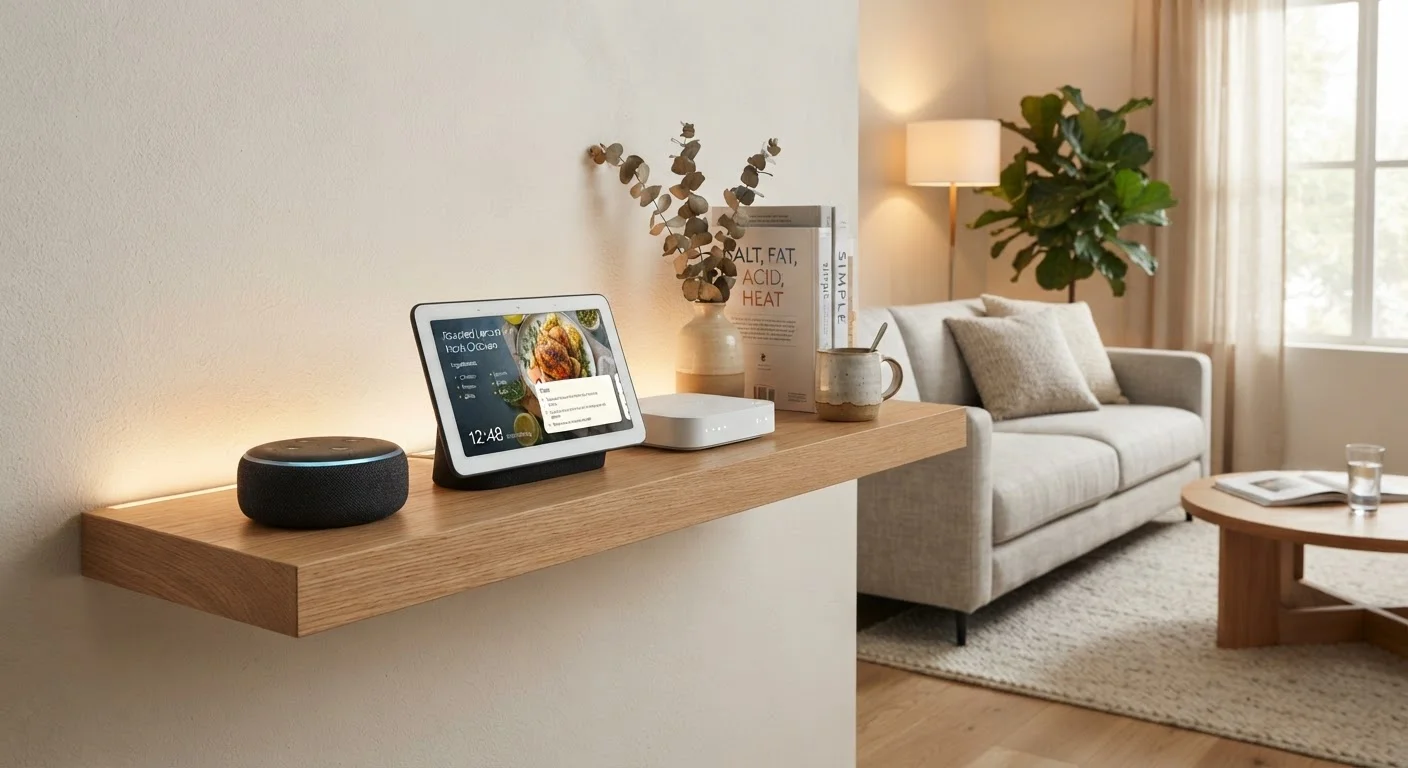
Photo: ArticleHood.com | Precision In Every Word editorial
Key Takeaways
- Smart speakers handle voice commands and audio; they have no screen and no local device management.
- Smart displays add a touchscreen to the speaker formula, enabling video calls, visual recipes, and media playback.
- Smart hubs act as translators between devices using different wireless protocols, not as audio or display devices.
- Most connected homes benefit from a combination of all three types rather than relying on one alone.
- Choosing the right mix depends on which protocols your existing devices use and how you prefer to interact with them.
Why the Confusion Exists
Walk into any electronics section and you'll see cylindrical speakers, small screens on stands, and compact boxes all marketed under the "smart home" umbrella. Manufacturers don't always help by overlapping language - some hubs include voice assistants, and some displays ship with hub-like features. The distinctions still matter, though, because each device type solves a different problem in a connected home.
If you've ever wondered why your smart lights sometimes feel sluggish or why certain devices don't talk to each other, part of the answer often traces back to which device is actually managing the conversation - or isn't. Our guide to unresponsive smart home devices explores that further, but understanding the hardware roles is the right starting point.
Smart Speakers: Voice First, Everything Else Second
A smart speaker is fundamentally a microphone array paired with a speaker and a cloud-connected voice assistant. You ask it questions, set timers, play music, or tell it to turn off the lights - all through speech. It has no screen. Its primary output is sound.
Smart speakers connect to your home Wi-Fi and use that connection to relay your voice requests to a cloud server, which interprets them and sends instructions back. This means they depend entirely on a working internet connection to function. They can control other smart devices too, but only if those devices are registered with the same voice assistant platform.
Match the Device to the Room
They're most useful in rooms where you're frequently hands-free - kitchens, living rooms, bedrooms - and where glancing at a screen isn't practical or necessary.
Smart Displays: A Speaker With a Screen
A smart display is essentially a smart speaker with a touchscreen attached. That addition opens up a meaningful range of new use cases: you can watch step-by-step cooking videos, make video calls, see your calendar visually, view security camera feeds, or control smart devices through an on-screen interface rather than purely by voice.
For tasks like video calling, the display format is far more practical than a speaker alone. The screen also serves as a clock, photo frame, or recipe card when you're not actively using it.
The trade-off is size and placement. A smart display is less discreet than a speaker and works better on a countertop or desk than tucked on a shelf. If screen resolution matters to you in this context, our screen resolution explainer covers what the numbers actually mean in everyday use.
Smart Hubs: The Protocol Translators
A smart hub does something fundamentally different. Rather than providing audio or visual output, it acts as a central coordination point for your smart devices - particularly those that communicate over wireless protocols other than Wi-Fi, such as Zigbee or Z-Wave.
Many smart bulbs, door locks, sensors, and thermostats use these lower-power protocols because they conserve battery and create a more reliable mesh network. The problem is that your router and voice assistant don't natively speak Zigbee or Z-Wave. A hub translates between those protocols and your home network, making everything accessible through a single app or voice command.
| Smart Speaker | Smart Display | Smart Hub | |
|---|---|---|---|
| Primary function | Voice commands & audio | Voice, touch & visual media | Device protocol translation |
| Has a screen | No | Yes | No (usually) |
| Connects via | Wi-Fi | Wi-Fi | Wi-Fi + Zigbee/Z-Wave/Matter |
| Voice assistant built in | Yes | Yes | Sometimes |
| Controls other devices | Via cloud/platform | Via cloud/platform | Locally and via cloud |
| Best placement | Shelf, nightstand | Countertop, desk | Closet, utility area |
| Works offline | Rarely | Rarely | Partially, for local devices |
Without a hub, devices on different protocols simply can't talk to each other. A newer standard called Matter - supported by many devices released since 2023 - aims to reduce this fragmentation, but hubs still play a role for older devices and more complex setups. Understanding protocol terminology is easier with a solid reference; our connectivity glossary can help fill in the gaps.
How They Fit Together in a Real Home
In practice, these three device types often work alongside each other rather than as alternatives. A common setup might pair a smart display in the kitchen - for hands-free recipes and video calls - with a smart hub in a closet managing Zigbee-based bulbs and sensors throughout the house, and a compact smart speaker in the bedroom for nighttime voice commands.
Your home network is the foundation all three rely on. If you're unsure how your router and modem factor into the picture, our router vs. modem explainer is a useful companion read. A weak or congested network will affect all three device types, regardless of how capable each one is individually.
The right combination depends on what smart devices you already own, which protocols they use, and how you naturally interact with technology - by voice, by touch, or through an app.
~35%
US households with a smart speaker
According to Edison Research's Infinite Dial report, roughly one in three US households owned a smart speaker as of recent survey years.
3+
Wireless protocols in a typical smart home
Many connected homes mix Wi-Fi, Zigbee, and Z-Wave devices, which is the main reason protocol-bridging hubs remain relevant.
The content on this site is for informational purposes only and is not a substitute for professional advice. Always consult a qualified professional for guidance specific to your situation.