
Wired vs Wireless: When an Ethernet Cable Still Beats Wi-Fi

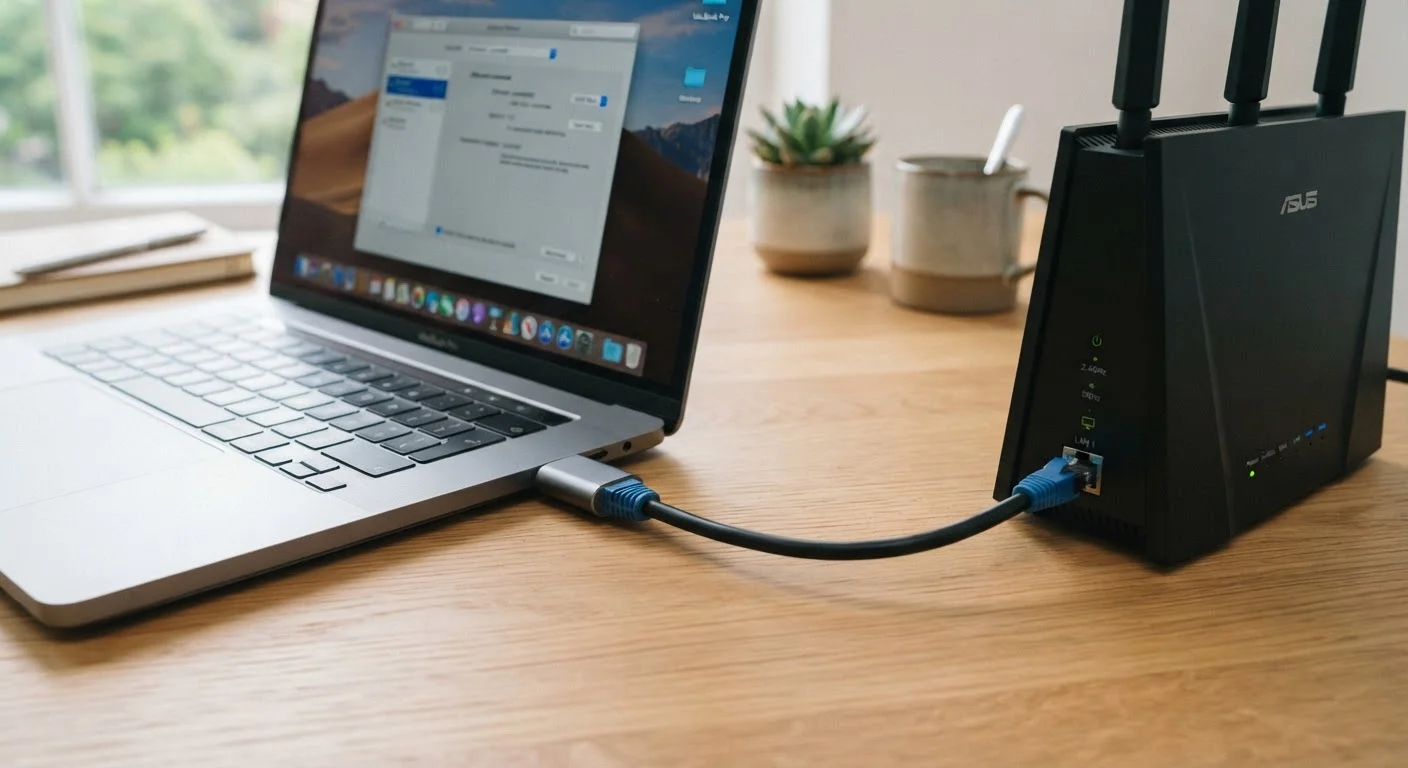
Photo: ArticleHood.com | Precision In Every Word editorial
Key Takeaways
- Ethernet delivers more consistent speeds and lower latency than Wi-Fi in almost every scenario.
- Wi-Fi is the practical choice for mobile devices and rooms where running cable is impractical.
- Interference from walls, appliances, and neighbors actively degrades wireless performance in ways a cable never experiences.
- Stationary devices like desktop PCs, gaming consoles, and smart TVs benefit most from a wired connection.
- You don't have to choose one or the other - most households benefit from using both strategically.
Why the Cable vs. Wireless Question Still Matters
Wi-Fi has improved enormously over the past decade. Newer standards deliver faster speeds, handle more devices simultaneously, and reach further into homes than earlier versions could. So why does Ethernet - a technology that involves physically plugging a cable into your device - still come up in conversations about home networking?
The answer is that raw speed is only part of the story. Consistency, latency (the delay in sending and receiving data), and resistance to interference are equally important in everyday use - and this is where a physical cable continues to hold a meaningful advantage over wireless in specific situations.
Understanding which connection type suits which scenario helps you get better performance without needing to overhaul your entire setup. For context on how modern Wi-Fi standards have evolved, see how Wi-Fi 5, Wi-Fi 6, and Wi-Fi 6E differ.
| Criterion | Ethernet | Wi-Fi |
|---|---|---|
| Speed consistency | Very high - stable regardless of environment | Variable - affected by interference and distance |
| Latency | Lower - typically 1-5 ms | Higher - typically 5-50 ms or more |
| Mobility | None - device must be physically connected | Full - move anywhere within range |
| Setup complexity | Requires cable runs; can be disruptive | Simple - most devices connect automatically |
| Interference susceptibility | None | Significant - walls, appliances, neighbors |
| Best device types | Desktop PCs, TVs, consoles, NAS drives | Phones, tablets, laptops, smart home devices |
| Cost to implement | Low for short runs; higher for wall installation | Low - router usually already in place |
Where Ethernet Has a Real Edge
Ethernet's core advantage is that it creates a direct, private channel between your device and your router. No signal has to travel through the air, bounce off walls, or compete with your neighbor's network. That directness has three practical consequences:
- Lower latency: Data travels faster between your device and the router. For online gaming, video calls, and financial trading platforms, even small delays matter.
- Higher consistency: Wi-Fi speeds fluctuate depending on interference, distance, and how many devices are active. Ethernet speeds stay steady regardless.
- No congestion from neighbors: Wireless networks share radio spectrum. In apartments or dense neighborhoods, nearby networks can actively slow yours down. A cable is immune to this.
The devices that benefit most are those that stay in one place: desktop computers, smart TVs, gaming consoles, and network-attached storage (NAS) drives. If you've ever noticed your TV buffering or your video calls dropping during evenings - a time when network congestion typically peaks - a wired connection to that specific device is often the most effective remedy.
Dead zones and signal drops aren't always about router placement - interference and building materials play a significant role too.
~1-5 ms
Typical Ethernet latency in a home network
Industry benchmarks consistently show wired connections deliver latency well under 10 ms, compared to 20-50 ms or more for wireless under congested conditions.
~30%
Potential Wi-Fi throughput loss through a single wall
Testing by networking researchers has shown that a standard interior wall can reduce wireless throughput by roughly 25-35%, depending on material and frequency band used.
2.4 GHz vs 5 GHz
Wi-Fi bands with different range and speed trade-offs
The 2.4 GHz band travels further but is more congested; the 5 GHz band is faster at close range but weakens more quickly through obstacles - a trade-off Ethernet simply doesn't face.
Where Wi-Fi Wins and When to Accept the Trade-Off
Wi-Fi's defining strength is mobility. Your phone, tablet, and laptop are designed to move with you - and a cable fundamentally defeats that purpose. For these devices, the convenience of wireless far outweighs any performance advantage a cable would offer in typical use cases like browsing, streaming music, or checking email.
Wi-Fi also wins on practicality in larger or older homes. Running Ethernet cable through walls, under floors, or across multiple stories is disruptive and not always possible without professional installation. In these situations, a well-positioned router - or a mesh Wi-Fi network - is the more sensible approach.
That said, not all Wi-Fi problems are inherent to the technology. Many slowdowns result from avoidable habits: poor router placement, outdated firmware, or using the wrong frequency band. Common self-inflicted Wi-Fi problems are worth ruling out before concluding that you need to run cables.
Ethernet Cable Categories Explained Simply
A Practical Approach: Use Both
The most effective home networks aren't purely wired or purely wireless - they combine both where each makes sense. A reasonable starting point for many households:
- Connect stationary, high-demand devices (desktop PC, smart TV, gaming console) to your router via Ethernet wherever cable runs are feasible.
- Let mobile devices - phones, tablets, laptops you carry between rooms - use Wi-Fi as intended.
- Consider powerline adapters or MoCA adapters (which use your existing coaxial cable wiring) if running new Ethernet cable through walls isn't practical. These aren't perfect substitutes, but they often outperform wireless in rooms with weak signal.
The goal isn't to eliminate Wi-Fi from your home. It's to make deliberate choices about which devices actually need the stability a cable provides - and to stop assuming that wireless will always be good enough just because it usually is.
For a broader look at what determines your home internet performance from the source, understanding your connection type is a useful foundation.
The content on this site is for informational purposes only and is not a substitute for professional advice. Always consult a qualified professional for guidance specific to your situation.